 WiseGoal
WiseGoal is coming soon to iPhone. This guide shows how the app works ahead of launch.
Read your measurements alongside your trend
WiseGoal keeps your recorded weight and a trend calculated from recent check-ins. If you have several measurements on one date, it averages those measurements first. Each recorded date then contributes once to the trend.
For each date, the trend averages the recorded daily values within that date and the preceding six calendar days. Missing days are left out; they are not filled with zero or invented measurements. After a long gap, the trend reflects the records that are actually available.
A simple example
Suppose your only entries within a seven-day window are 80 kg, 81 kg and 80.5 kg on three different dates. The trend at the last date is 80.5 kg. It is an average of those three recorded days, not seven daily measurements.
You can enter weight yourself or choose to import it from Apple Health. Check dates, units and the source when reviewing an unexpected entry. A trend is a summary of your records, not a measurement of body fat or metabolism.
A weekly review does not always mean a change
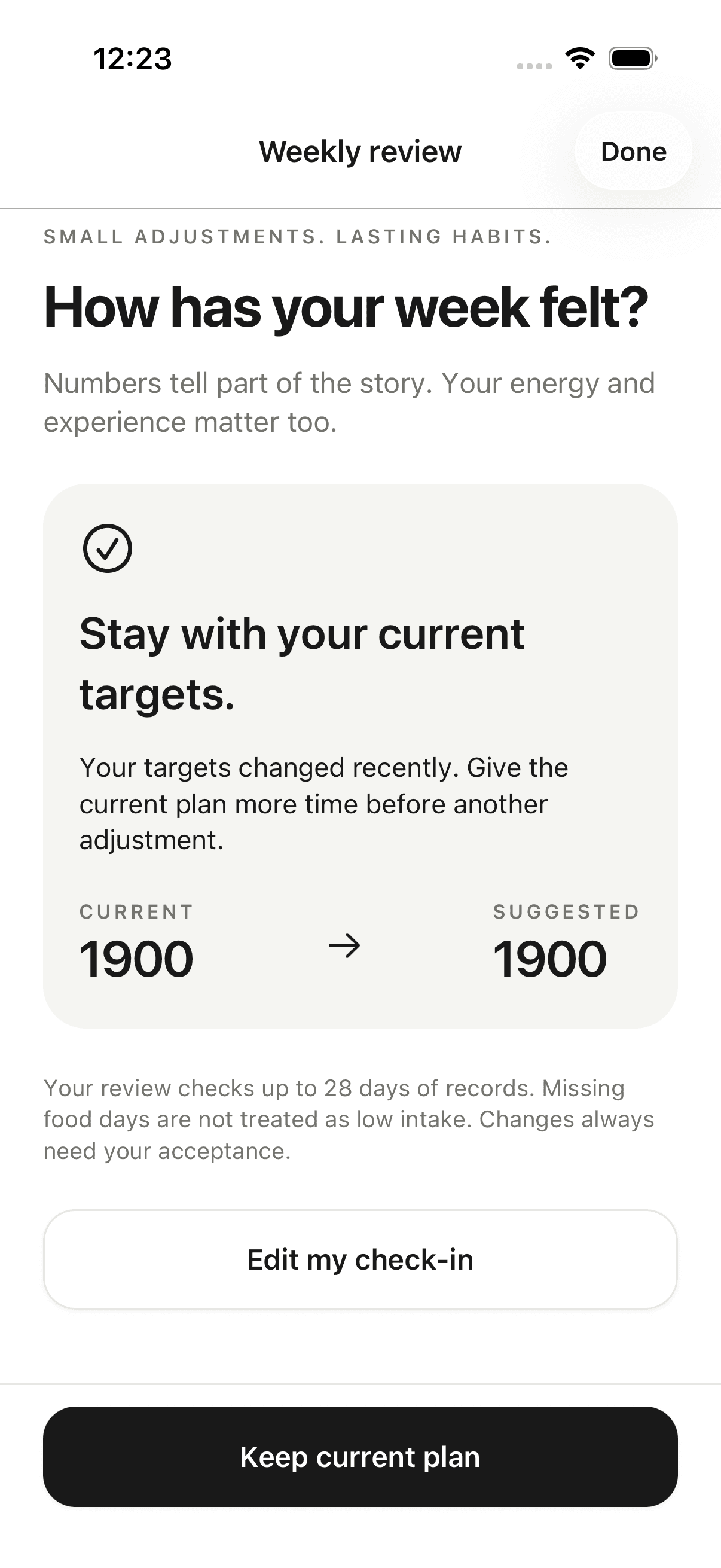
With Plus, a weekly review considers your records and check-in feedback before suggesting a calorie-plan adjustment. Missing food days are not interpreted as low intake. Sparse records, a recent target change or recovery concerns can result in keeping the current plan.
The screenshot shows a review after a recent change: both the current and suggested target stay the same. Keeping your plan is an explicit outcome of the review.
When an adjustment is suggested, you can accept it or keep your existing plan. A suggestion does not silently replace your target. WiseGoal retains saved plan decisions so you can revisit what changed.
Moving into maintenance
WiseGoal also supports reviewing a maintenance plan as your goal changes. You preview the proposed plan before accepting it. Maintenance reviews focus on your recorded range and routine; they do not automatically lower your calories.
These are product planning tools, not a diagnosis or a guarantee of a particular result. For questions about your own health or nutritional needs, seek individualized guidance. Explore WiseGoal’s features or compare Free and Plus.